
Hosted Checkout Page
QFPay provides a prebuilt, secure checkout interface that allows merchants to accept multiple payment methods via simple redirection. This solution:- Requires minimal development effort
- Supports both desktop and mobile browsers
- Supports multi-language UI
- Is maintained and secured by QFPay
UI Preview
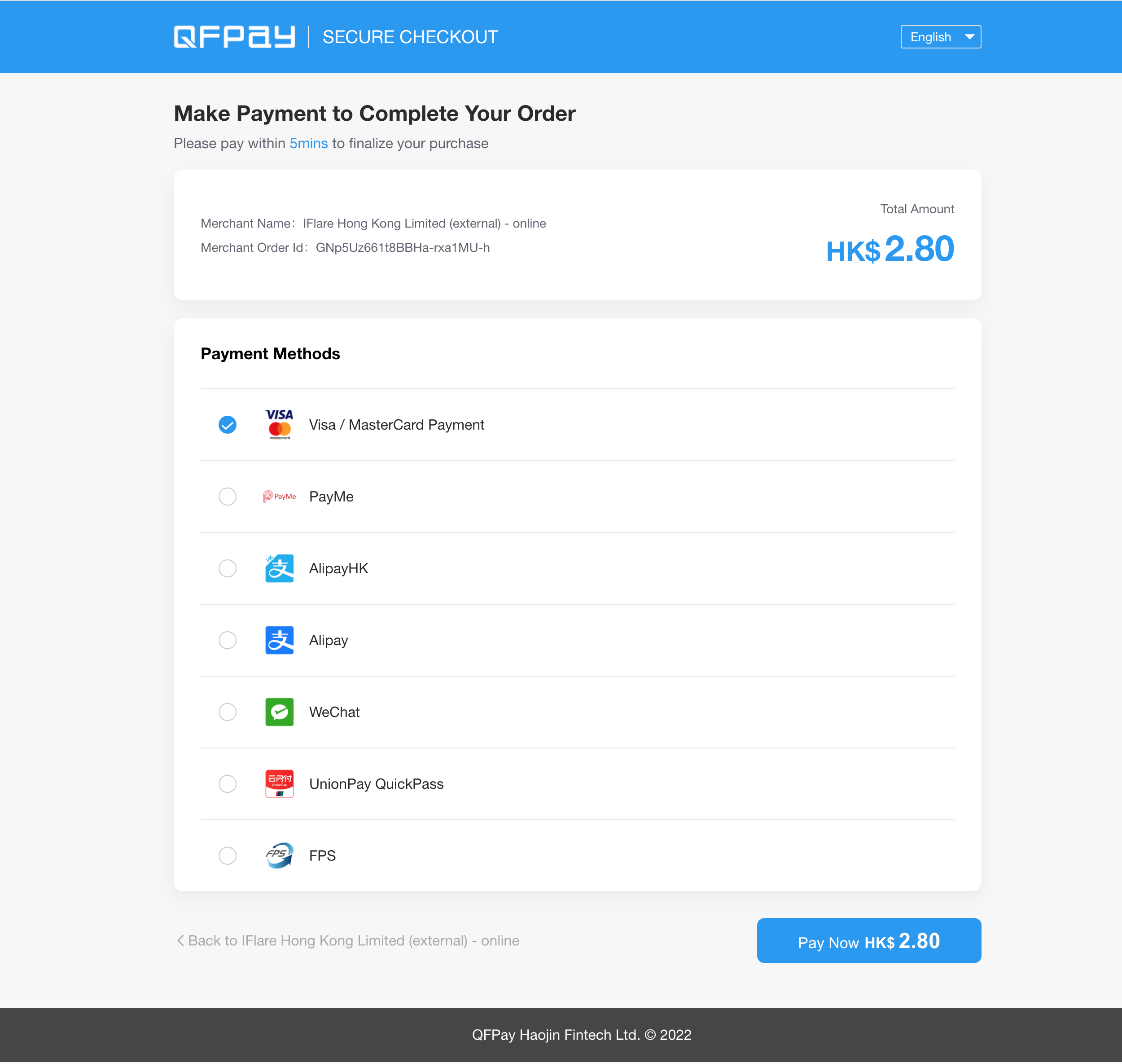
Customisation Options
If a merchant wishes to customise the checkout page, the following elements are currently supported. Elements not listed below are not supported for modification.Supported Customisable Elements
1 Branding Elements
- Browser favicon (tab icon)
- Page logo
- Header horizontal stripe background colour
2 Payment Method Display
- Custom sorting order of payment methods
3 Payment Button
- Custom colour for the “Pay Now” button
How to Request Customisation
To request checkout customisation, please provide the following information to technical support:app_codeclient_key- Detailed customisation requirements
- Brand assets (logo files, colour codes, etc.)
Static Asset Requirements
Please ensure all submitted branding assets follow the specifications below:PC Logo
- Height: 40px
- No horizontal padding (no blank space on left or right)
WAP Logo (Mobile)
- Height: 25px
- No horizontal padding
Favicon
- Size: 15 × 15 px
PNG format with transparent background is recommended.
Environment Notice
For environment details, refer to: Environment DocumentationProcess Flow

- Customer proceeds to checkout on the merchant website
- Merchant redirects the customer to the QFPay hosted checkout page
- Customer selects a payment method and completes payment
- Customer is redirected back to the merchant website
API Request
Endpoint
TEXT
Method
TEXT
Request Parameters
| Parameter | Type | Required | Description |
|---|---|---|---|
appcode | String(64) | Yes | Store identifier issued by QFPay |
sign_type | String | Yes | SHA256 (recommended) or MD5 |
sign | String | Yes | Generated signature |
paysource | String | Yes | Must end with _checkout |
txamt | Int | Yes | Amount in cents (e.g. 1099 = HKD 10.99) |
txcurrcd | String(3) | Yes | Currency code (e.g. HKD) |
out_trade_no | String(128) | Yes | Unique merchant transaction ID |
txdtm | String | Yes | Timestamp (YYYY-MM-DD HH:mm:ss) |
return_url | String | Yes | Redirect URL after successful payment |
failed_url | String | Yes | Redirect URL after failed payment |
notify_url | String | Yes | Asynchronous notification URL |
mchntid | String(16) | No | Required in agent scenarios |
goods_name | String(64) | No | Product name |
udid | String(40) | No | Device identifier |
expired_time | String | No | QR expiry time (5–120 minutes) |
checkout_expired_time | String | No | Checkout session expiry |
limit_pay | String | No | no_credit disables credit cards |
lang | String | No | zh-hk, zh-cn, en |
cancel_url | String | No | Redirect URL if user cancels |
Creating a Checkout Order
Each
out_trade_no must be unique to prevent duplicate transactions.client_key, then redirect the customer to the constructed checkout URL.
Example: Signature & Redirect
JavaScript
Important Notes
- Always generate signatures on your server in production.
- Never expose your
client_keyin frontend code. - Ensure your
notify_urlaccepts POST callbacks. - It is recommended to verify final transaction status using the Transaction Enquiry API.